
Run Your Distribution with Axis ERP
A wholesale distribution ERP for distributors and warehouses: supplier prices, stock in every warehouse, orders and deliveries in one system, with invoices that match what you received and shipped.
Where Distribution Usually Gets Stuck
If two of these sound familiar, the workflow below shows how Axis ERP handles them.
See the workflowPrice Lists in Excel
Supplier price lists and stock levels live in spreadsheets that are out of date by the afternoon.
Invoices Checked by Hand
Hundreds of supplier invoices a month are checked one by one against what actually arrived.
Orders by Phone and WhatsApp
Customers order by phone and WhatsApp, and the order only exists in a notebook until someone types it in.
Payments That Come Late
Nobody sees which customers are over their limit or late with payments until money is missing from the account.
From Supplier to Customer
Each step starts from the one before it, so nobody types the same data twice.
 01Request for quotationPurchase
Ask suppliers for prices and turn the best offer into a purchase order.
 02ReceiptInventory
Goods are received against the purchase order, so you see what is missing or extra.
- 03Stock in every warehouseInventory
Quantities per warehouse and location, with transfers between them.
 04Sales orderSales
Phone and WhatsApp orders become sales orders with your price list.
- 05DeliveryInventory
The warehouse picks and ships from the right location.
 06Invoice and paymentAccounting
Invoice what was delivered and follow up on what is still unpaid.
What You Work With Every Day
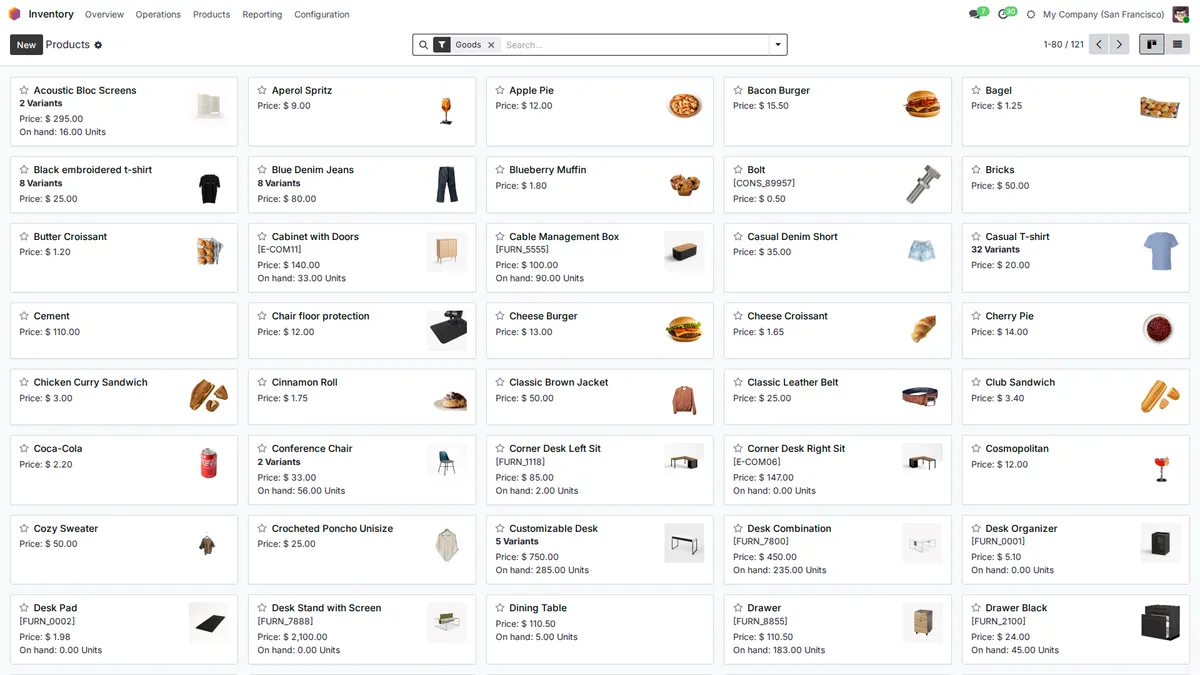
Every Product with Its Stock
Products show their price, variants and quantity on hand. Reordering rules suggest purchases before a product runs out.
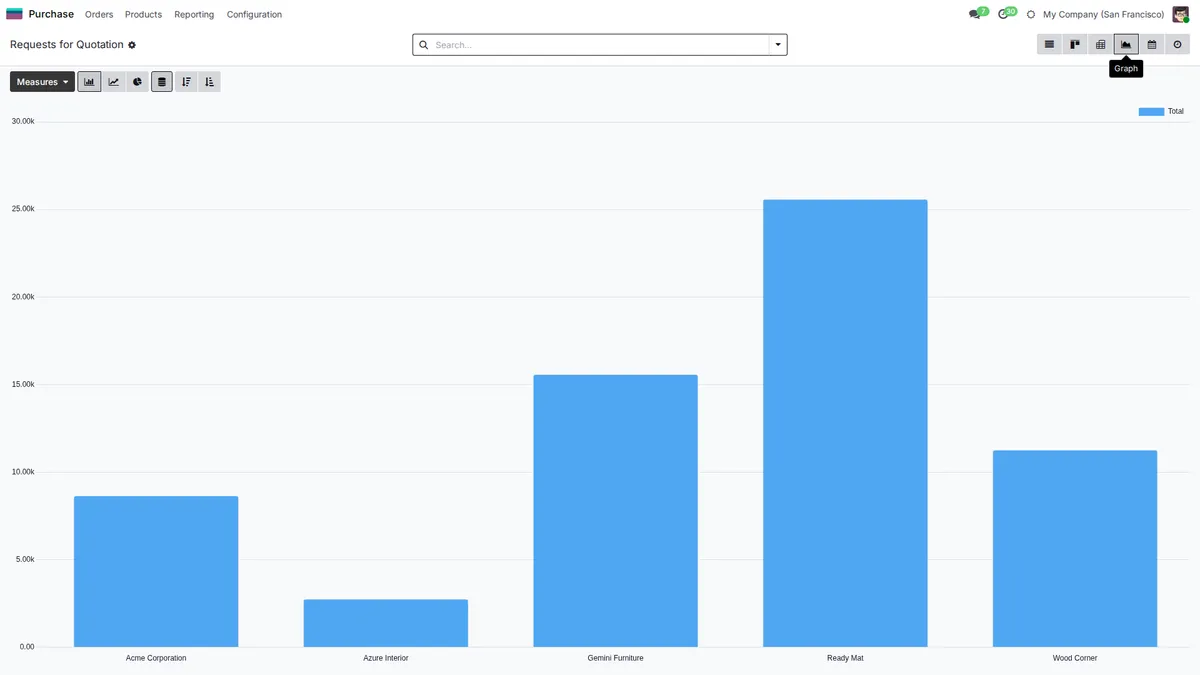
What You Buy from Each Supplier
Purchases grouped by supplier, month or product show where the money goes and which supplier to negotiate with first.
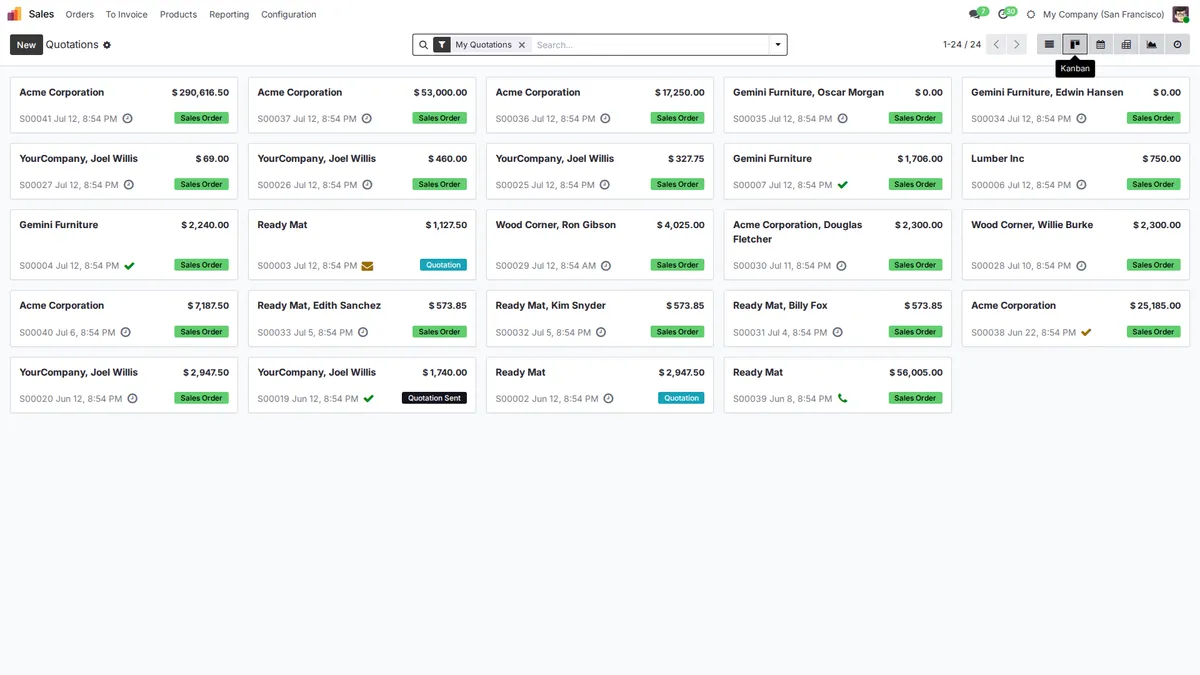
Every Quote and Order in One Place
Quotations and confirmed orders sit on one board with the customer and the amount, so no order taken by phone gets lost.
Modules Included
All of them come with every plan. Open a module to see what it does.
 CRM
CRM Point of Sale
 Documents
Your local chart of accounts, taxes and e-invoicing are set up during onboarding.
Plans that
grow with you
No per-user fees, no hidden costs. Just simple pricing that scales with your business.
Starter
Perfect for small teams getting started
- All core ERP & CRM modules
- Up to 5GB storage
- Standard email support
- Unlimited users
Growth
For growing teams that need more power
- Everything in Starter
- Up to 25GB storage
- Priority support
- Advanced analytics
Enterprise
Dedicated infrastructure for large organizations
- Everything in Growth
- Dedicated server
- Fully customized instance
- Extra performance
Prices exclude VAT. VAT is added according to the rules for your country.
Frequently Asked Questions
Can I work with several warehouses and transfer stock between them?
Yes. Each warehouse has its own locations and stock. Transfers between warehouses, or to a van used as a mobile warehouse, are recorded, so you always know where each product is.
Can Axis ERP tell me what to reorder?
Set a minimum and a maximum quantity per product and warehouse. When stock falls below the minimum, Axis ERP proposes a request for quotation to the usual supplier at their price.
How do supplier invoices get into the system?
Supplier invoices can arrive by email straight into accounting, or be entered from the purchase order. Either way only what was received gets billed, and differences show up before you pay.
Can I set credit limits and follow up on late payments?
Yes. Set a credit limit per customer and see overdue invoices in one list. Customer statements show each customer what they still owe.
Can we use barcodes?
Products and lots can carry barcodes and you can print labels. A barcode scanner works like a keyboard in the point of sale and in search fields. A dedicated scanning app for the warehouse is not part of the package.
Axis ERP for Other Industries
All industriesTry Axis ERP in Your Warehouse
Leave your details and we create your Axis ERP account. During onboarding we set it up for your distribution business with you.