


Run Your Workshop with Axis ERP
Auto repair shop software for workshops, bodyshops, parts shops and companies with fleets: repair orders, parts, invoices and the history of every vehicle in one system.
Where Workshops Usually Get Stuck
If two of these sound familiar, the workflow below shows how Axis ERP handles them.
See the workflowEstimates Written by Hand
Estimates are written on paper and rewritten every time the customer approves a change.
Parts Ordered Blind
Parts come from several suppliers, ordered by phone, without comparing prices or checking what is already on the shelf.
Labour Time Unknown
Nobody knows how many hours a repair really took, so labour is billed by feel.
History in Five Places
A car's history is spread across paper files, spreadsheets and the memory of the person at the front desk.
From Check-In to Invoice
Each step starts from the one before it, so nobody types the same data twice.
 01Vehicle check-inRepairs
Open a repair order for the customer and the vehicle, with what needs fixing.
 02EstimateSales
Parts and labour go into a quotation the customer can accept online or on paper.
- 03Repair orderRepairs
The order lists the parts to use and shows which ones are in stock.
 04PartsPurchase
Missing parts are ordered from the supplier, received into stock and used on the repair.
 05InvoiceAccounting
Invoice parts and labour straight from the repair.
- 06Vehicle historyRepairs
Every repair stays linked to the customer and the vehicle.
What You Work With Every Day
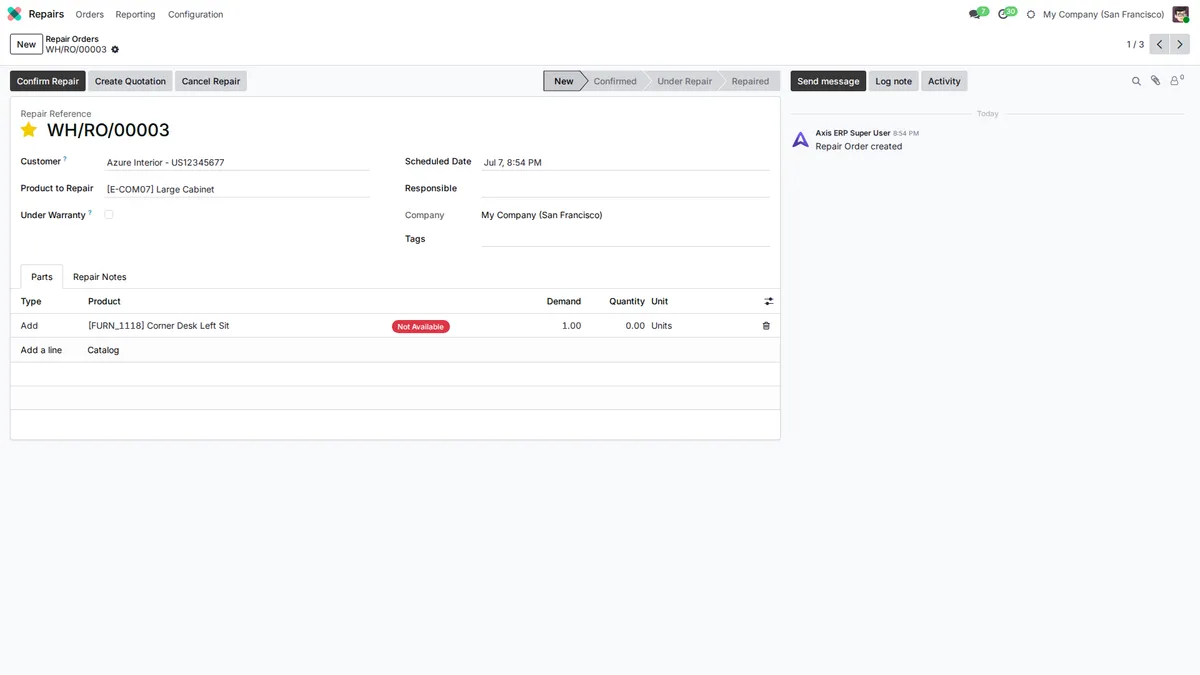
A Repair Order for Every Car
Each repair order shows the customer, what is being repaired and the parts it needs, with their availability. Turn it into a quotation in one click.
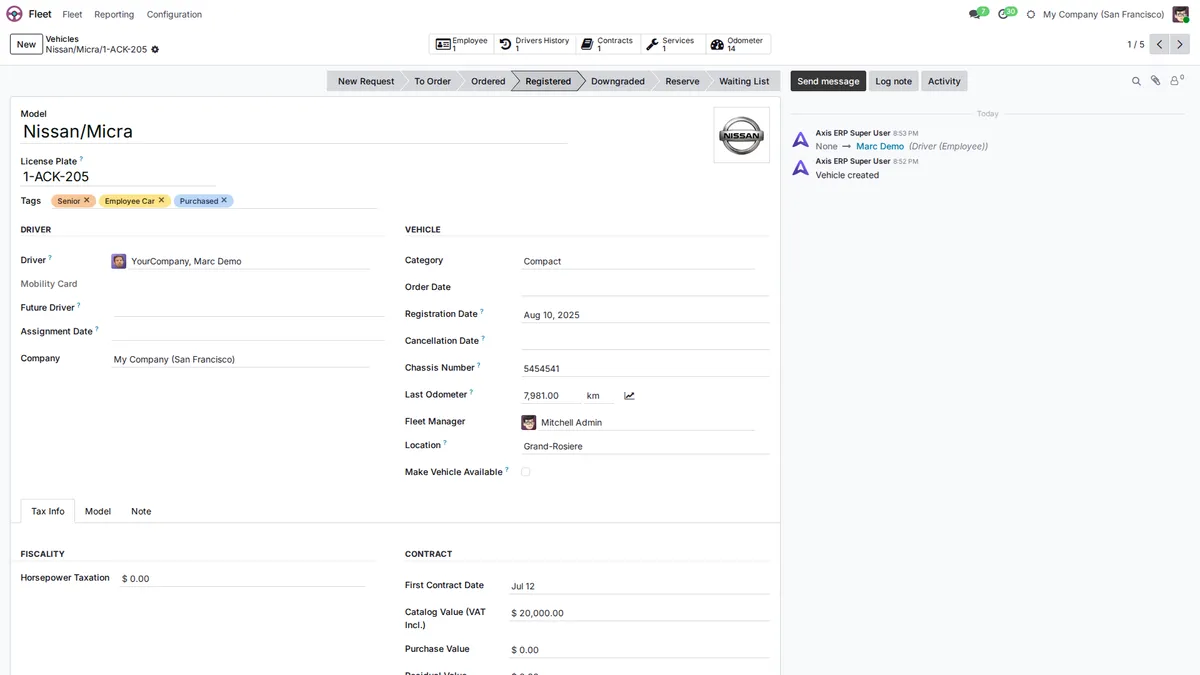
Every Vehicle with Its File
For companies with their own fleet: plate, chassis number, driver, odometer, contracts and services on one vehicle record.
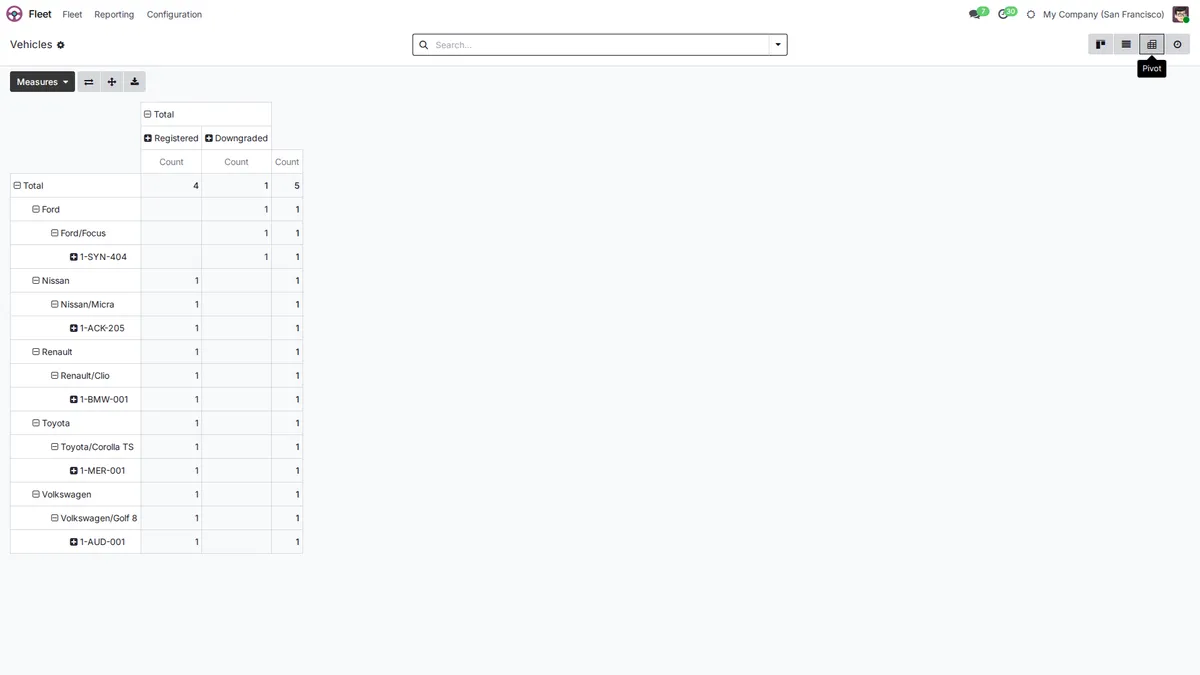
The Whole Fleet by Brand and Model
Group vehicles by brand, model or status to see what is on the road and what is out of service.
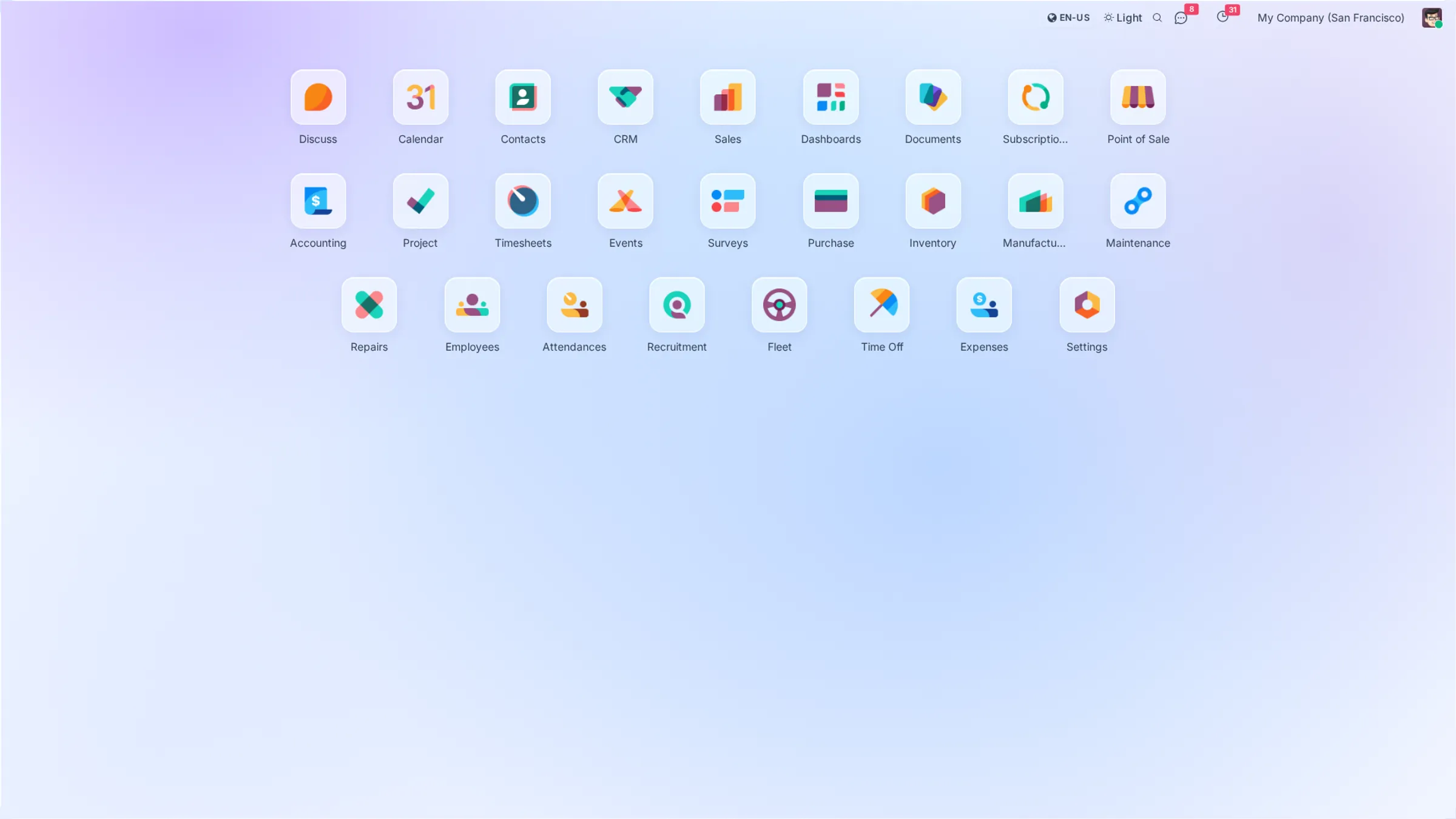
Modules Included
All of them come with every plan. Open a module to see what it does.
 Point of Sale
Your local chart of accounts, taxes and e-invoicing are set up during onboarding.
Plans that
grow with you
No per-user fees, no hidden costs. Just simple pricing that scales with your business.
Starter
Perfect for small teams getting started
- All core ERP & CRM modules
- Up to 5GB storage
- Standard email support
- Unlimited users
Growth
For growing teams that need more power
- Everything in Starter
- Up to 25GB storage
- Priority support
- Advanced analytics
Enterprise
Dedicated infrastructure for large organizations
- Everything in Growth
- Dedicated server
- Fully customized instance
- Extra performance
Prices exclude VAT. VAT is added according to the rules for your country.
Frequently Asked Questions
How do estimates and their approval work?
Create a quotation from the repair order with the parts and labour. Send it by email; the customer can accept it online, and the repair starts from the accepted version.
How do I manage parts stock and orders?
Parts are products in stock, with reordering rules per product. Parts missing from a repair are ordered from the supplier and received into stock before they are used.
Can I see the history of a vehicle?
Register the customer's vehicle with its chassis number or plate as a serial number, and every repair order linked to it stays in one list. You can filter repairs by customer or by vehicle.
Does it work for transport companies with fleets?
Yes. The Fleet app keeps each vehicle with its driver, odometer, contracts and service history, and maintenance costs stay in one place.
Can I take payments at the counter and issue invoices?
Yes. Invoice from the repair order, or use the point of sale for parts sold over the counter. Payments are recorded against the invoice. Axis ERP does not replace a certified fiscal cash register where the law requires one.
Axis ERP for Other Industries
All industriesTry Axis ERP in Your Workshop
Leave your details and we create your Axis ERP account. During onboarding we set it up for your workshop with you.