
Run Your Projects with Axis ERP
A professional services ERP for IT firms, design studios, agencies and consultancies: projects, timesheets, invoicing by time or milestone and the margin on every project.
Where Service Firms Usually Get Stuck
If two of these sound familiar, the workflow below shows how Axis ERP handles them.
See the workflowTimesheets in Spreadsheets
Hours are collected in spreadsheets at the end of the month, and nobody approves them.
Two Ways to Bill
Some clients pay a fixed fee, others pay by the hour, and every invoice is put together by hand.
No Margin per Project
Nobody knows which projects make money until the year is closed.
Contracts Invoiced by Hand
Monthly retainers and maintenance contracts are invoiced from memory, and some get forgotten.
From Opportunity to Profitability
Each step starts from the one before it, so nobody types the same data twice.
 01OpportunityCRM
Track the lead and the conversation until the client is ready to buy.
 02QuotationSales
Fixed fee, hourly rate or milestones, agreed in the quotation.
 03Project and tasksProject
The confirmed quotation creates the project with its tasks.
 04TimesheetsTimesheets
The team logs hours on tasks, in a weekly grid or with a timer.
 05InvoiceAccounting
Invoice the hours worked or the milestones reached, straight from the order.
- 06ProfitabilityProject
Compare revenue with the cost of the hours spent on each project.
What You Work With Every Day
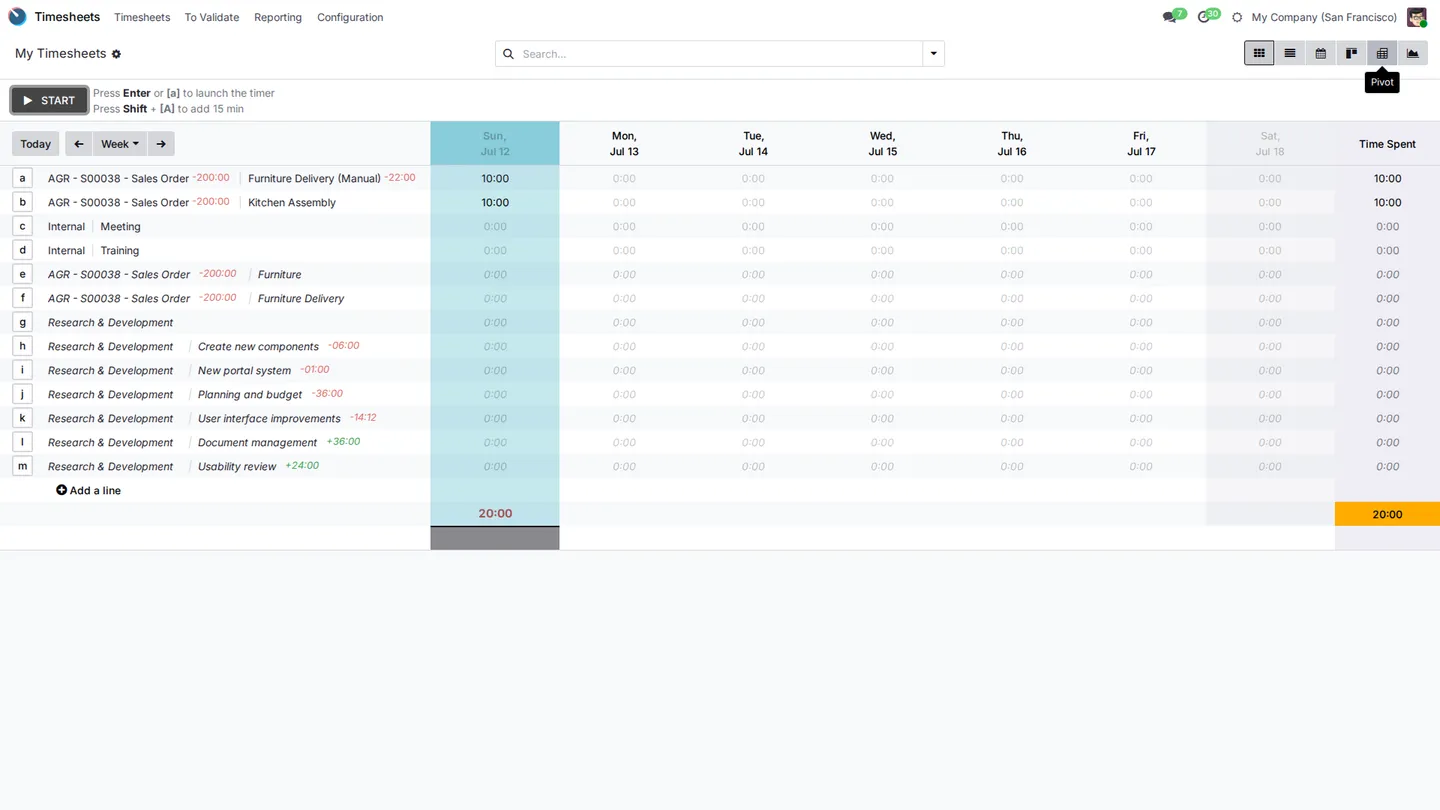
Hours in a Weekly Grid
Each person fills in the week in one grid, or starts a timer on the task they are working on. Managers approve the hours before they are invoiced.
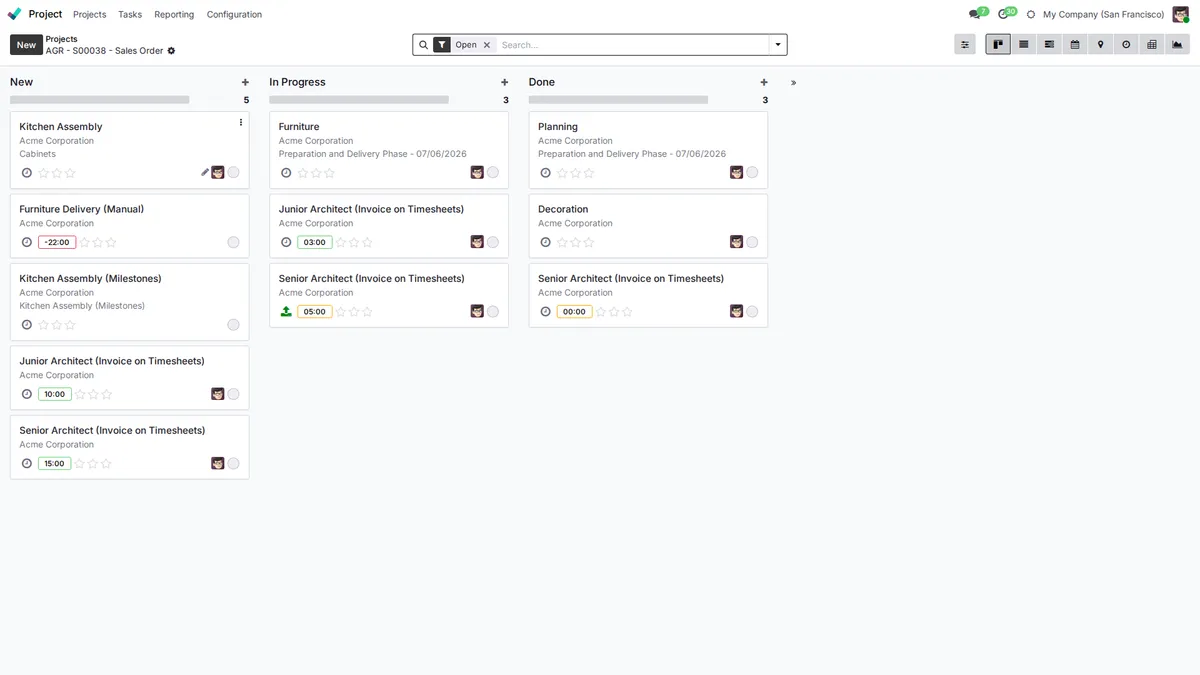
Tasks and Hours per Project
Every project has its tasks on a board, with the hours planned and spent on each one.
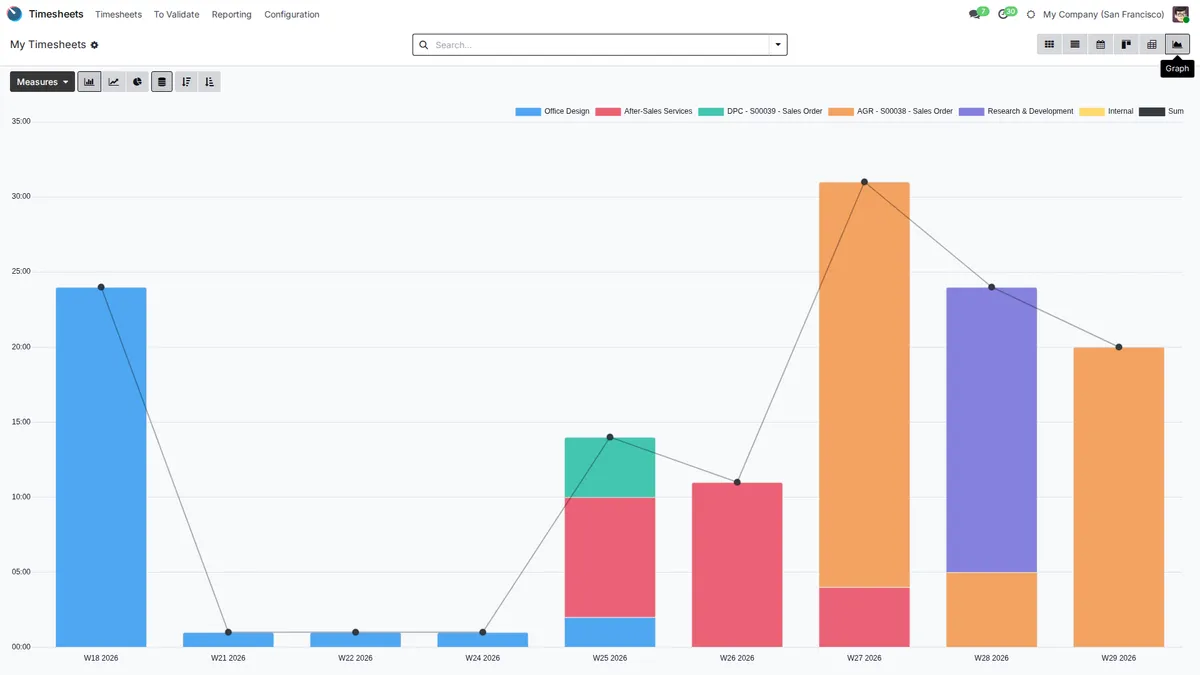
Where the Hours Go
Hours per project and per week show who works on what, and which client takes more time than agreed.
Modules Included
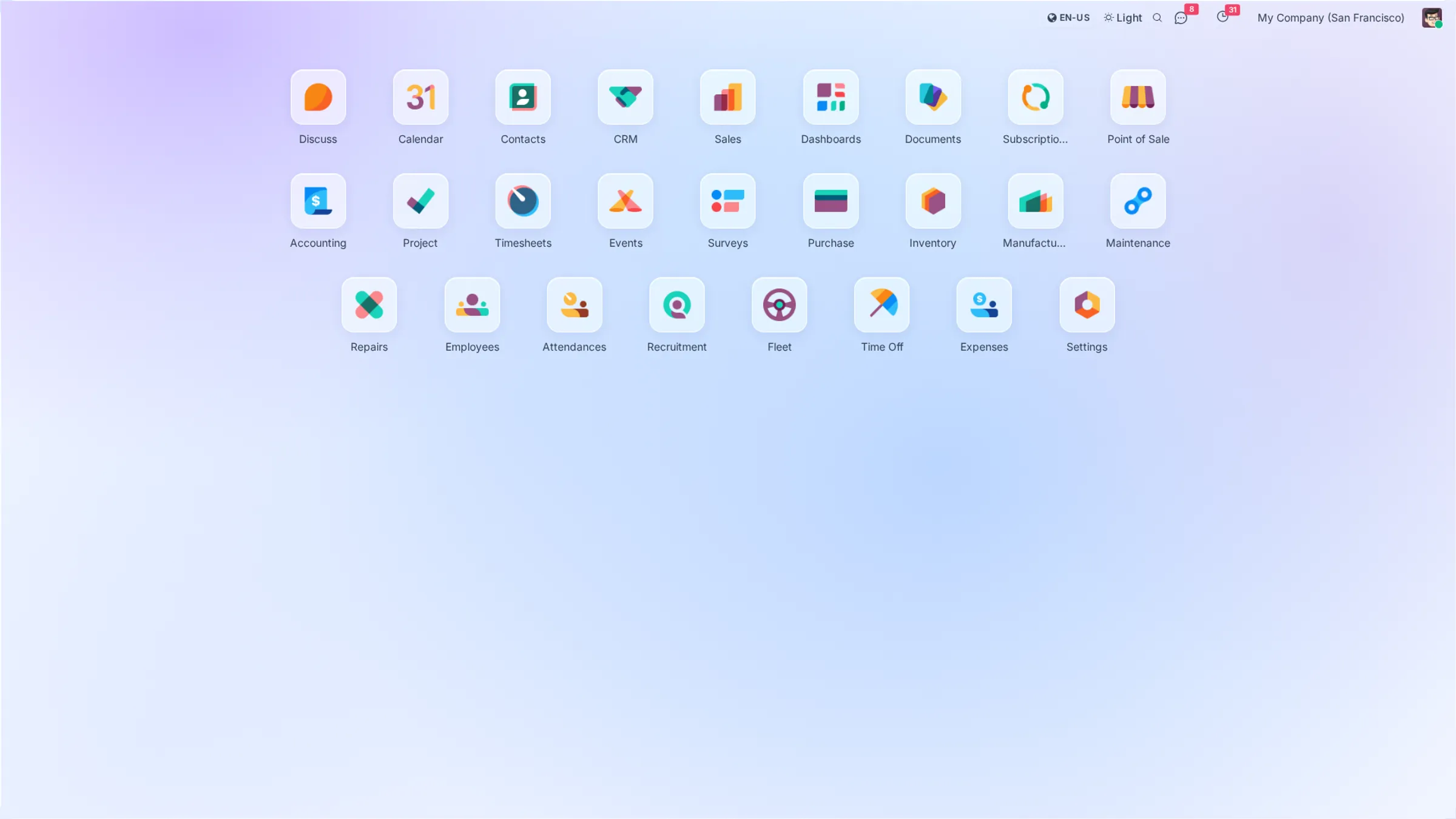
All of them come with every plan. Open a module to see what it does.
 Subscriptions
 Expenses
 Documents
Your local chart of accounts, taxes and e-invoicing are set up during onboarding.
Plans that
grow with you
No per-user fees, no hidden costs. Just simple pricing that scales with your business.
Starter
Perfect for small teams getting started
- All core ERP & CRM modules
- Up to 5GB storage
- Standard email support
- Unlimited users
Growth
For growing teams that need more power
- Everything in Starter
- Up to 25GB storage
- Priority support
- Advanced analytics
Enterprise
Dedicated infrastructure for large organizations
- Everything in Growth
- Dedicated server
- Fully customized instance
- Extra performance
Prices exclude VAT. VAT is added according to the rules for your country.
Frequently Asked Questions
Can I bill fixed fees and time and materials in the same company?
Yes. Each service in a quotation has its own invoicing rule: a fixed price, the hours logged, or milestones you mark as reached. One client can have all three.
How do recurring contracts and subscriptions work?
Create a subscription with a monthly or yearly plan. Axis ERP issues the invoices on the right date, so retainers and maintenance contracts are not forgotten.
Can I see the profitability of each project?
Each project shows what you invoiced and the cost of the hours logged on it, priced at each employee's hourly cost.
Can I invoice in foreign currencies?
Yes. Invoice in euros or any other currency; exchange rates are updated daily, and exchange differences are posted when the payment arrives.
How do expenses and approvals work?
Employees record expenses with a photo of the receipt, a manager approves them, and approved expenses are posted to accounting.
Axis ERP for Other Industries
All industriesTry Axis ERP in Your Firm
Leave your details and we create your Axis ERP account. During onboarding we set it up for your projects with you.