

Run Your Sites with Axis ERP
A construction ERP for builders and installers: one project per site, with its purchases, materials, hours and invoices, so you see the margin while the work is still going.
Where Construction Usually Gets Stuck
If two of these sound familiar, the workflow below shows how Axis ERP handles them.
See the workflowEstimates in Excel
Estimates and progress reports are built in Excel and copied by hand into invoices.
No Cost per Site
Costs are only known for the whole company, so a site that loses money shows up too late.
Materials That Disappear
Materials go out to the sites but never get booked against them.
Subcontractors by Email
Orders to subcontractors and their invoices are scattered across inboxes.
From Estimate to Margin
Each step starts from the one before it, so nobody types the same data twice.
 01EstimateSales
Prepare the offer with materials and labour and send it for approval.
 02Project per siteProject
Each site becomes a project with its own analytic account in accounting.
 03Purchases for the sitePurchase
Materials and subcontractors are ordered for the site, so their cost lands there.
 04Materials and hoursTimesheets
Materials used and hours worked are booked on the site.
 05Invoicing by milestonesAccounting
Invoice each stage when it is reached, or take down payments.
- 06Margin per siteProject
Compare what the site earned with what it cost, while the work is still going.
What You Work With Every Day
One Project per Site
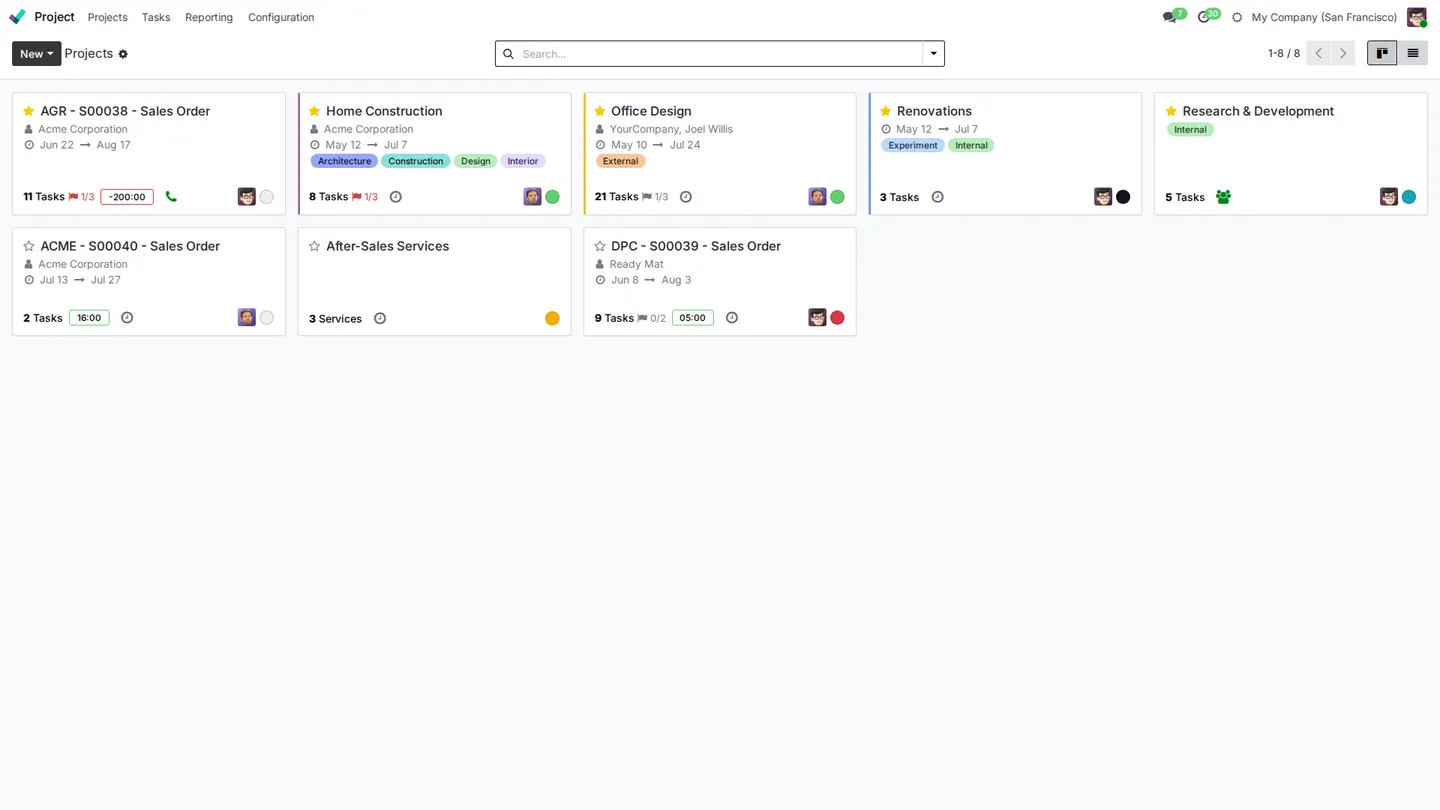
Every site is a project with its customer, dates and tasks, so the team and the office look at the same plan.
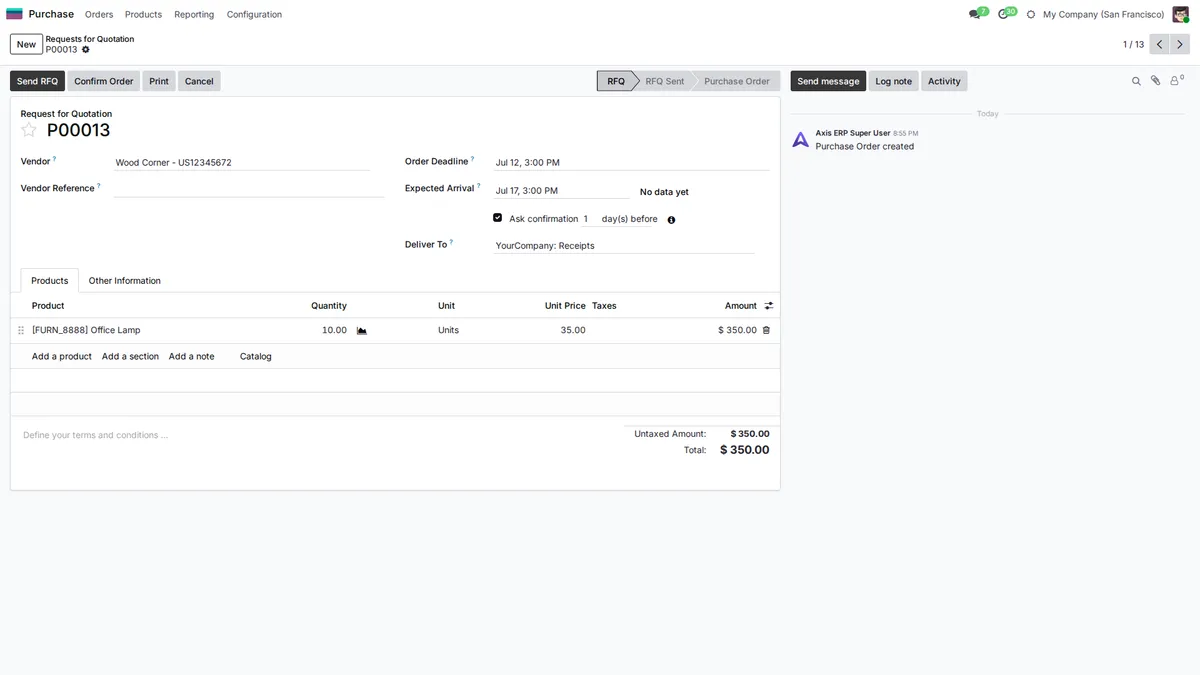
Purchases for the Site
Request prices from suppliers and subcontractors and confirm the order. The cost goes to the site's analytic account.
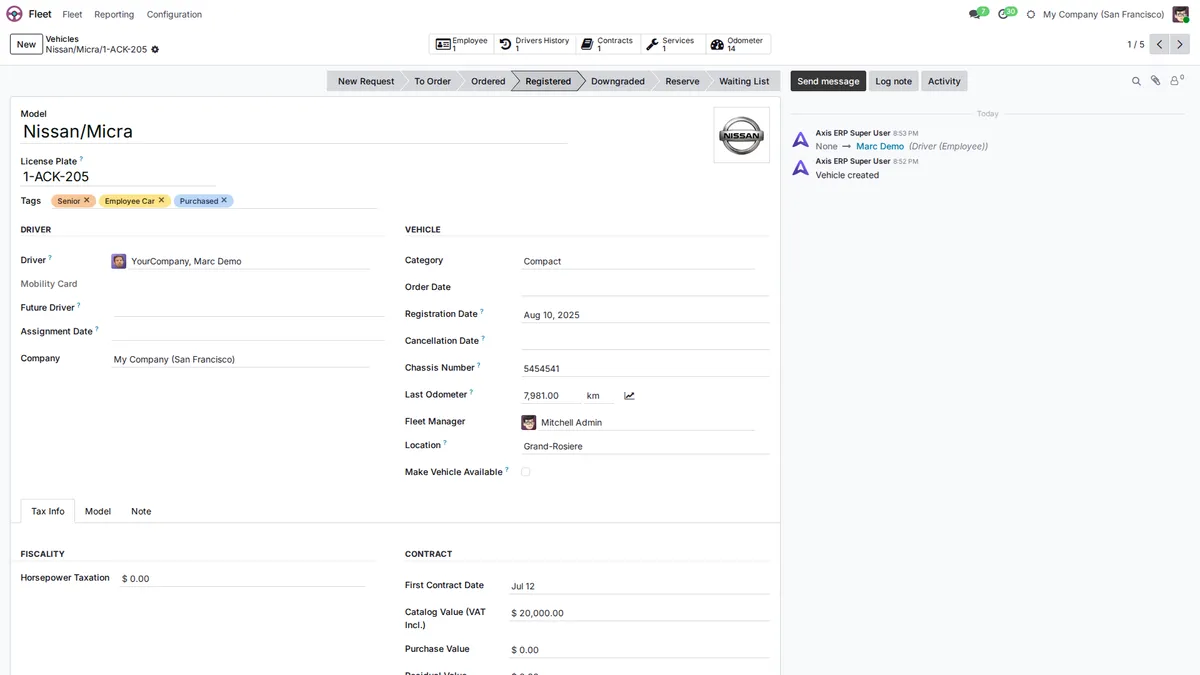
Equipment and Vehicles in One Place
Vans, trucks and machines have a file with the driver, odometer, contracts and services, and planned maintenance keeps them running.
Modules Included
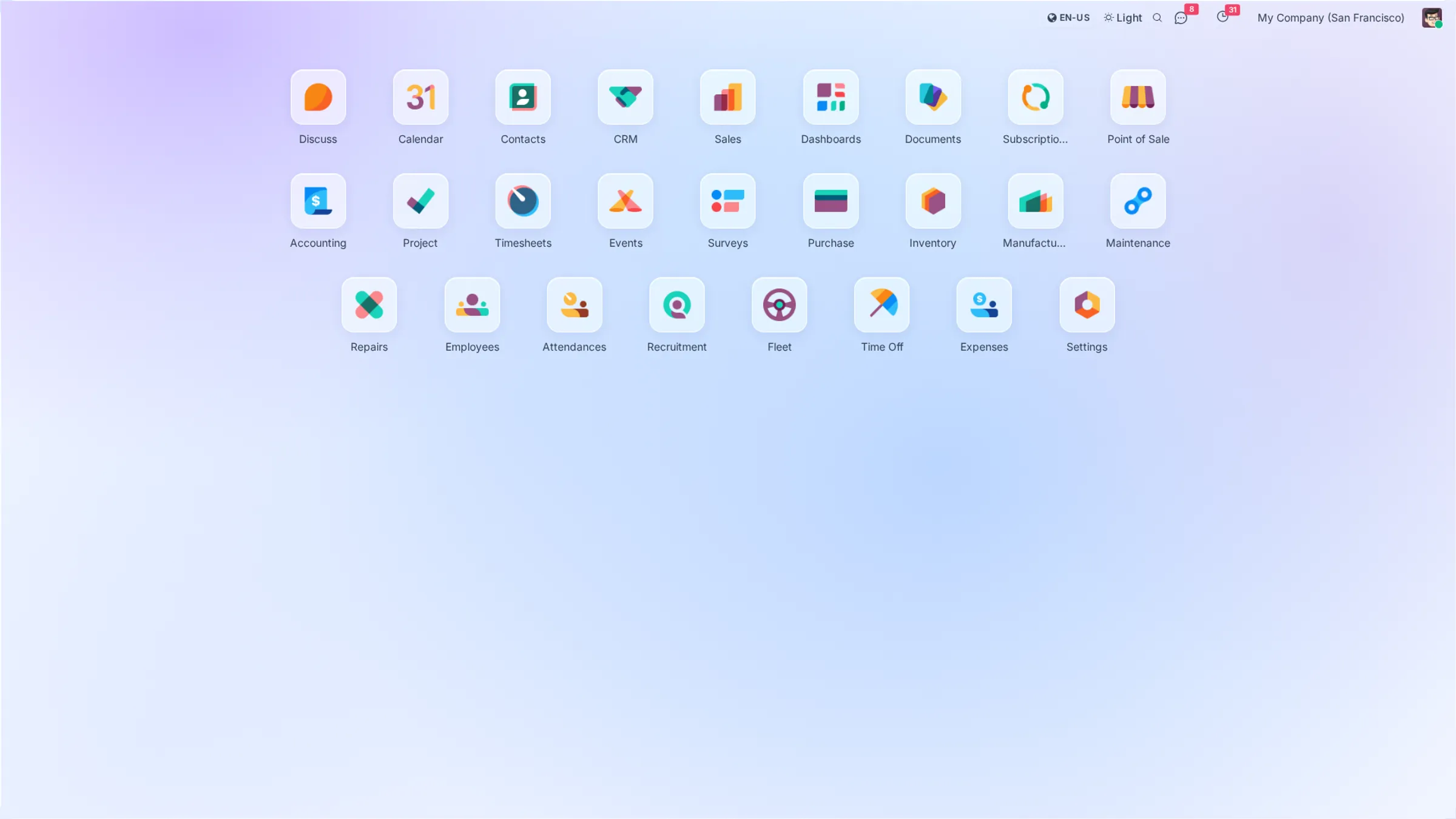
All of them come with every plan. Open a module to see what it does.
 Fleet
Fleet Maintenance
 Documents
Your local chart of accounts, taxes and e-invoicing are set up during onboarding.
Plans that
grow with you
No per-user fees, no hidden costs. Just simple pricing that scales with your business.
Starter
Perfect for small teams getting started
- All core ERP & CRM modules
- Up to 5GB storage
- Standard email support
- Unlimited users
Growth
For growing teams that need more power
- Everything in Starter
- Up to 25GB storage
- Priority support
- Advanced analytics
Enterprise
Dedicated infrastructure for large organizations
- Everything in Growth
- Dedicated server
- Fully customized instance
- Extra performance
Prices exclude VAT. VAT is added according to the rules for your country.
Frequently Asked Questions
How do I see cost and margin per site?
Each site has its own analytic account. Purchases, subcontractor invoices and logged hours are posted to it, so the site's report shows revenue, costs and margin.
Can I track the materials sent to each site?
Order materials directly for the site, with the site on the purchase lines, or transfer them from your warehouse to a location for that site. Either way you know what went where.
How do I work with subcontractors?
Subcontractors are suppliers: send them purchase orders for their part of the work, receive their invoices against those orders and post the cost to the site.
Can I manage equipment and vehicles?
Yes. Fleet keeps vans and trucks with their drivers, odometer and contracts, and Maintenance plans preventive maintenance for machines and equipment.
Can I invoice in stages?
Yes. Invoice by milestones as each stage is reached, or ask for a down payment and deduct it from the following invoices.
Axis ERP for Other Industries
All industriesTry Axis ERP on Your Sites
Leave your details and we create your Axis ERP account. During onboarding we set it up for your sites with you.